

Facebook Pixel is a tool that enables an entrepreneur like you to monitor the behavior of consumers who visit your e-commerce site after clicking on a sponsored ad on that social network.
This tool works in a similar way to Google Analytics. Like the competing platform, Facebook Pixel requires you to enter a tracking ID on the page on your website that you want to monitor.
Once the tracking code is up and running, you will be able to view the paid traffic data coming to your site in a dashboard in the Facebook Business Event Manager system. That simple!
See below for more details on how to install Facebook Pixel on sites like an online store. Get usage tips. Get to know, finally, some advantages of the resource for your e-commerce.
Access and read our article " Facebook for Business " as well. This way, you can learn about some marketing strategies on the world's largest social network!
HOW TO CREATE AND INSTALL A FACEBOOK PIXEL ON YOUR E-COMMERCE SITE
To create and install a Facebook Pixel on your e-commerce site, follow the steps below:
Starting
Start by logging into your account Facebook Business platform: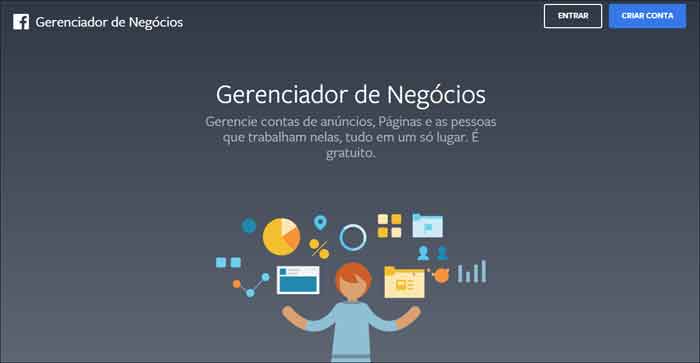
accessing
Then go to the top left menu and click on “Event Manager”: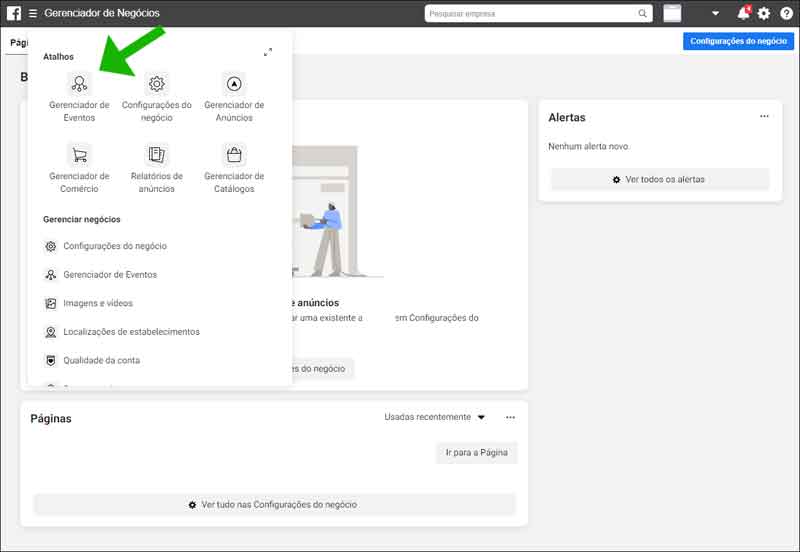
Adding
Right after that, press the green plus “+” button labeled “Connect data sources”: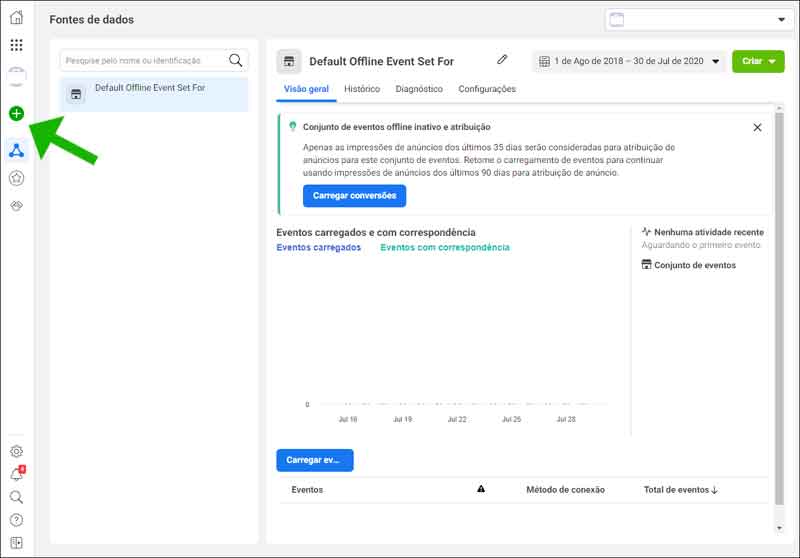
Selecting
In the box, select “Web” (so you can connect your online store, for example):
Connecting
In the next box select “Facebook Pixel” and click on “Connect”:
naming
Now name the pixel, enter the URL of the virtual store to be monitored and click on “Continue”: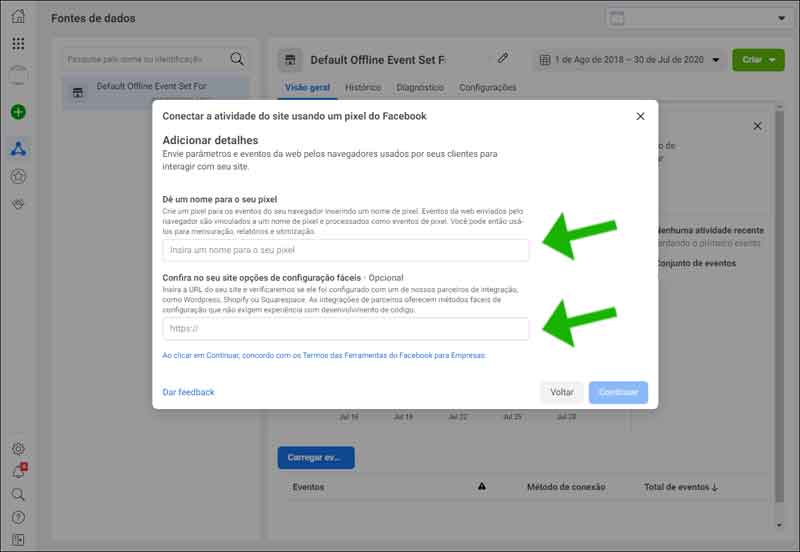
Following
Finally paste the tracking ID into the tag from your online store.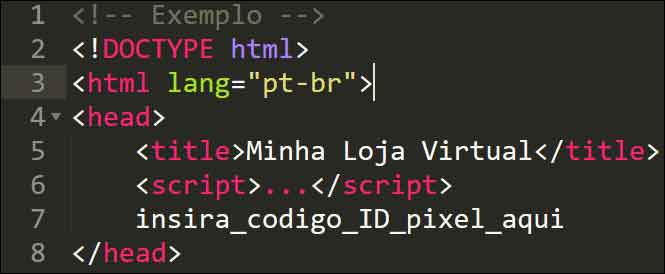
Ready! From now on, the behavior of consumers who visit your e-commerce site after having clicked on paid ads that you ran on Facebook will be monitored. The information generated by this monitoring can be viewed on a dashboard within the Facebook Business platform.
HOW TO USE FACEBOOK PIXEL TO MEASURE YOUR E-COMMERCE SITE
With the Facebook Pixel, you can monitor an e-commerce website through what are called conversion events . These events are actions such as "Adding a product to the cart," "Clicking the buy button," or "Contacting via chat," among others that occur in an online store like yours. When an event like this occurs in your online store, it is recorded by the system.
The system allows you to work through:
1 – Event conversions : you predefine which consumer actions within your online store should be considered conversions;
2 – Custom conversions : you define which actions should be considered events based on URL keywords.
So, let's say your online store gets 1.000 visits from Facebook ads in one day. The Facebook Pixel will count the actions (events) of these visitors and generate a powerful behavioral database, which will help you to optimize your Marketing and your online business as a whole.
ADVANTAGES OF FACEBOOK PIXEL FOR YOUR BUSINESS

With the Facebook Pixel you can:
- Understand the impact of your ads through constant monitoring;
- Optimize your ads so that they can generate more conversions on your online store;
- Improve the usability of your online store's layout and design so that it can generate more leads and sales conversions;
- Check which consumers are more apt to receive and be impacted by your Remarketing;
- Discover consumers who have similar behaviors to your current audience and thus prepare Marketing campaigns to impact them;
- Measure the Return on Investment of your Facebook Sponsored Ad campaigns.
In summary, when working with the Facebook Pixel it is possible to check how effective or not your online advertising is. This, in turn, allows you to know which points should be optimized for conversions to continually increase.
As soon as you can, also click on " Facebook Marketing " and check out 10 tools to promote your online store on this social network.